If you got the version without the D1 mini ESP12 8266, you must acquire one and program it first.
Connect mobile phone for setup
Plug in the Garage Door Opener device to any usb-c 5v power supply.
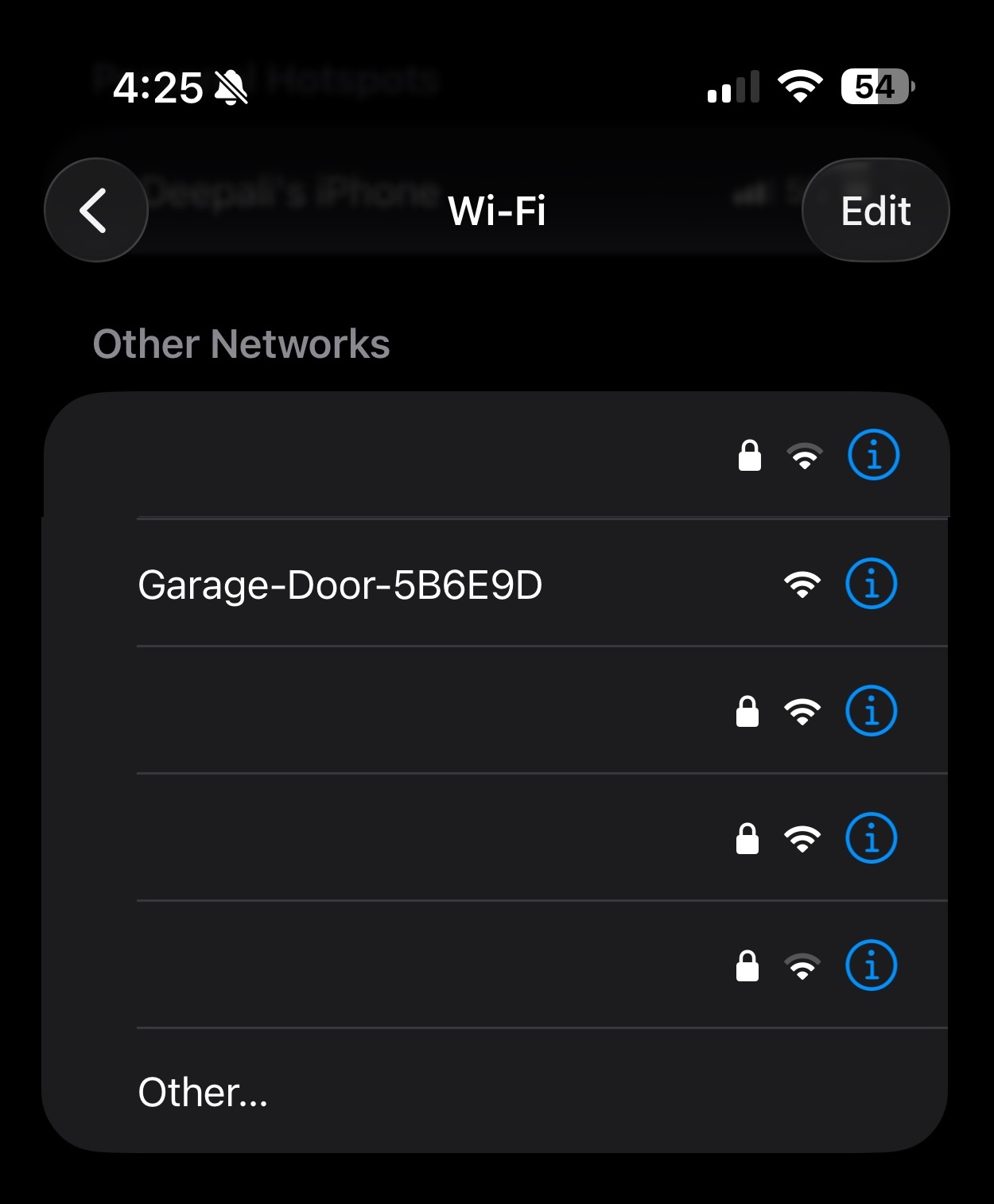
On your mobile phone, connect to the WiFi network being transmitted by the device. The name would be similar to “Garage-Door-XXXXXX”.
Connect to home WiFi
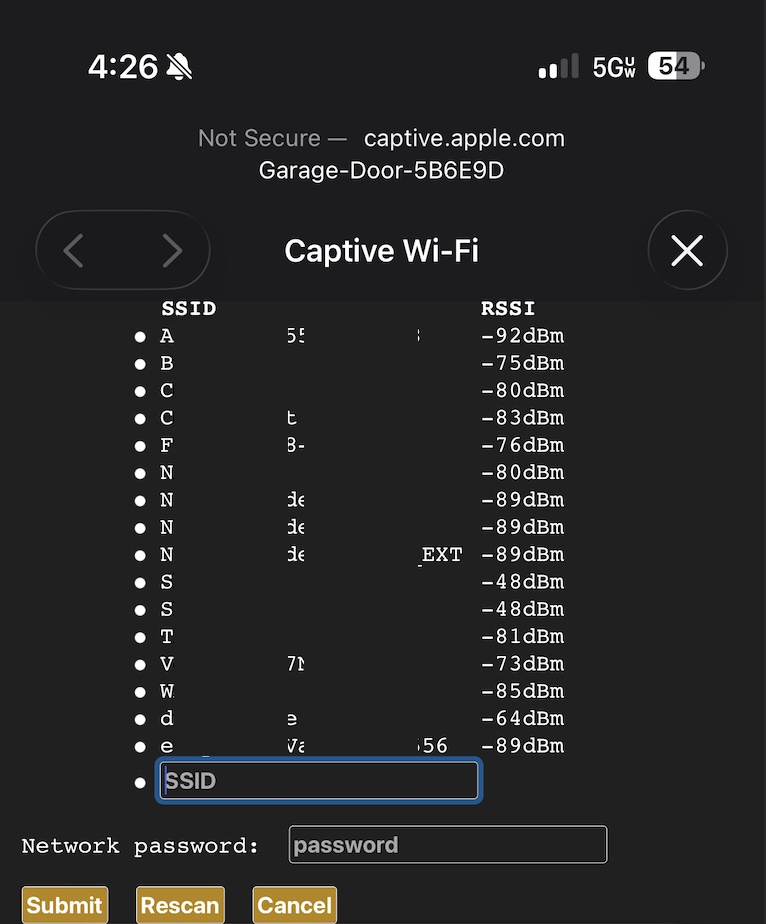
Captive Portal Web interface will open.
Select your home WiFi SSID and enter the password.
Get the Garage Door Opener's IP Address
Log into your router’s interface, go to the page where all the devices are listed and find the IP address that is assigned to the Garage Door Opener device.
The instructions for each router is different, however this is typically available under the devices tab. Additionally, the name of the device may show up as a different name such as ESP-XXXXXX – look for something new that has been added.
Browse to the IP Address
Type the IP address that you got from the previous step on a browser.
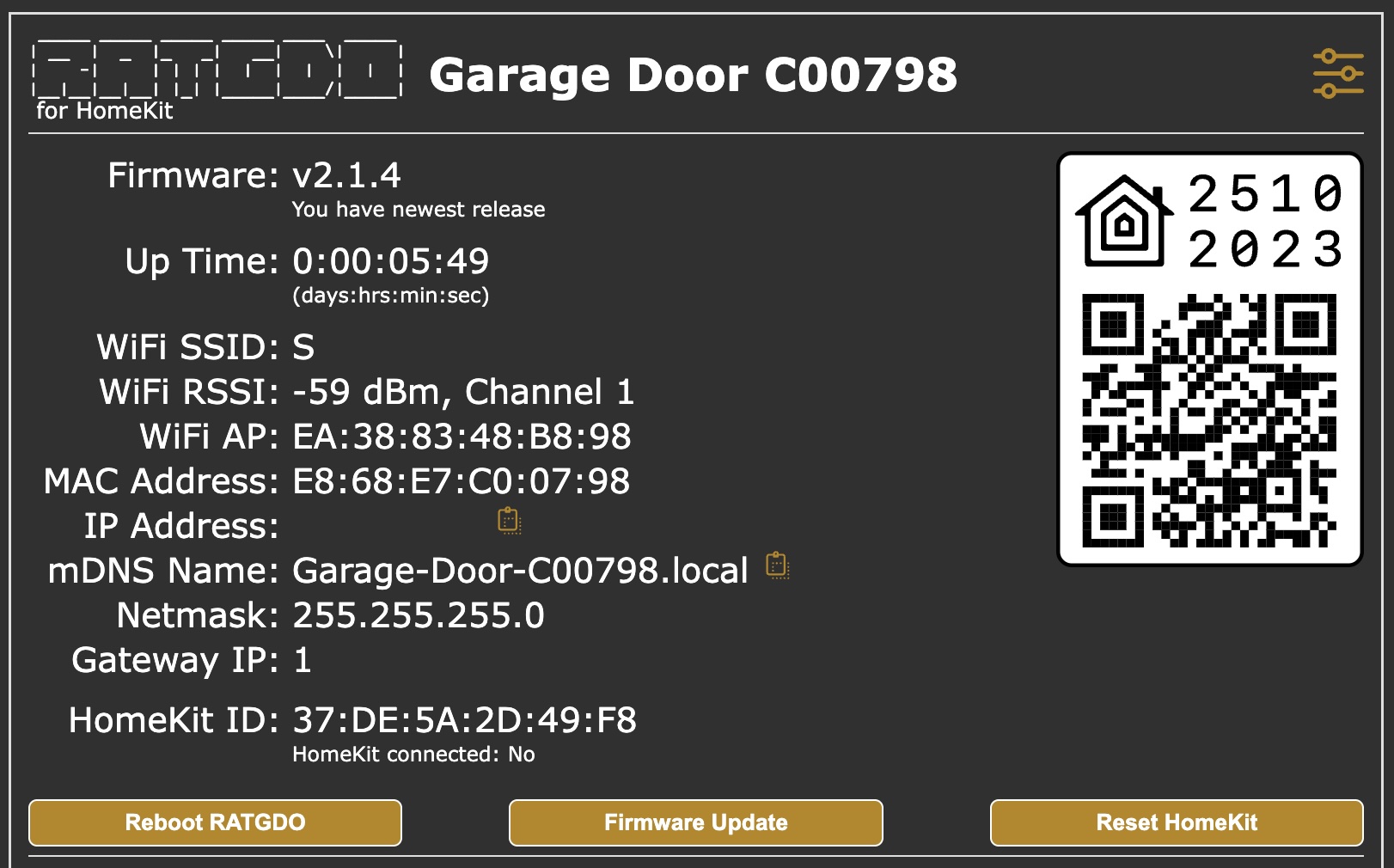
The web interface of Garage Door Opener will open. Note: The values shown are not valid because it is not connected to your garage yet.
Setup device in HomeKit/Apple Home
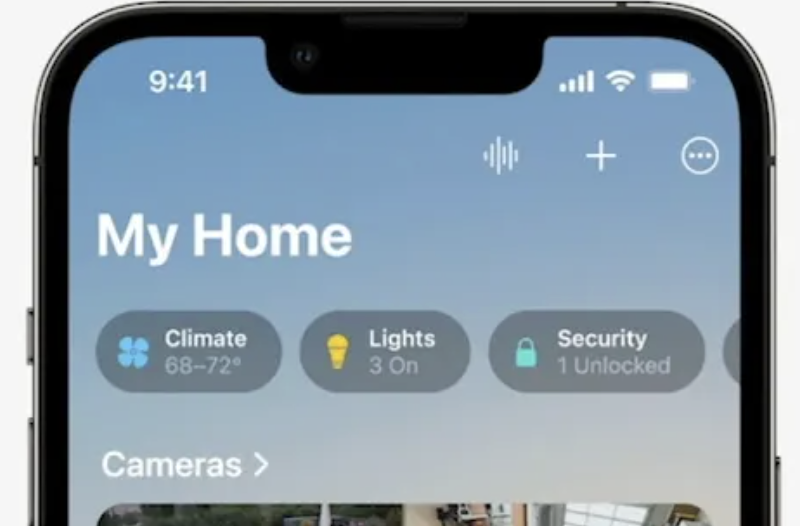
On your iPhone, open the Home app. Select + on top right and then Add Accessory.
Scan the QR code from the previous step to setup the device on Homekit/Apple Home.
Having trouble pairing?
Some Apple Home/HomeKit installations are known to have pairing issues with the 2.x software versions. Please see Alternate Pairing Instructions
Connect the device to your existing Garage Door Opener
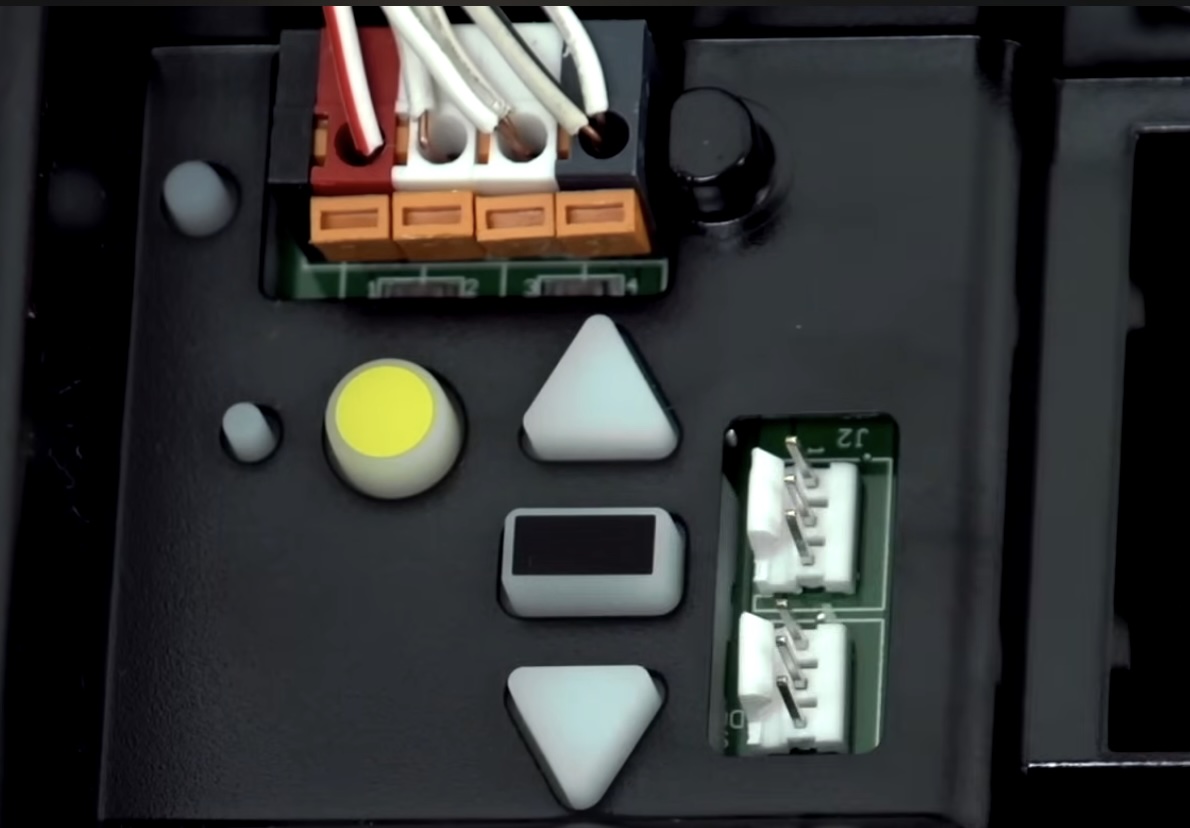
On Security+ 2.0 with the yellow learn button, connect black wire to black terminal, white wire to white terminal and red wire to red terminal.
Yes, you can flash a different firmware using the links below. Note that this device is based off an open source project and software support is not provided.
I can control the door using the device page but I am unable to pair to HomeKit/Apple Home
Some Apple Home/HomeKit installations are known to have pairing issues with the 2.x software versions. Please see Alternate Pairing Instructions
Does this work with Home Assistant?
Yes, ff you got the Homekit/Apple Home version, the device is already flashed with that version. You can connect the device with your computer and flash the ESPHome version that will work with Home Assistant.
Can the device be powered from the existing Garage Door Opener?
Yes, however you would need a power converter to output 5v DC. Most Garage Door Openers operate on 12-24v DC. If you have 12-24v DC available you can use a converter like